
Memberships, class bookings, front-desk check-in, GST billing and reports — one calm console for Indian gyms, studios and multi-branch chains.
- No card needed
- GST invoices built in
- Cancel anytime

- 90 days
- free trial, counted from the day your gym goes live
- 3 colours
- green, amber or red — the desk knows in one look
- 0 oversells
- class capacity is checked by the database on every booking
- ₹0 setup
- no setup fee and no per-member charges
Who it’s for
Made for every kind of gym floor
From a 40-member neighbourhood gym to a chain with a branch in every suburb — fitKendra fits how you already sell memberships and run batches.

Strength & bodybuilding gyms
Monthly, quarterly and annual plans, PT packages, and a desk that knows who has paid.

Yoga, Pilates & dance studios
Batches with a fixed number of mats, class packs, waitlists and attendance.

Functional & group-class boxes
A weekly class grid your desk books members into, with a hard cap on every class.
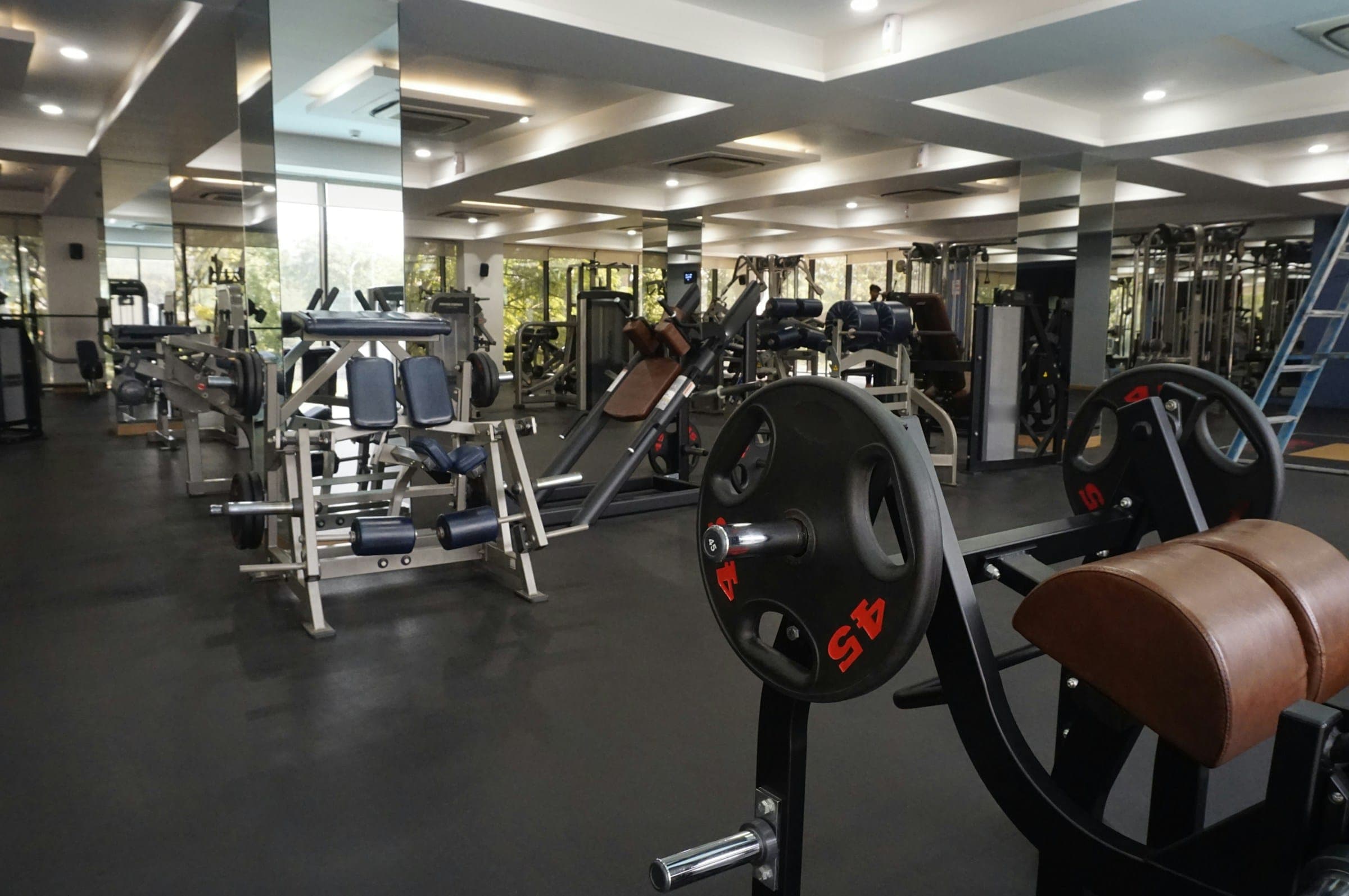
Multi-branch chains
Every branch in one account, staff pinned to their branch, one view for the owner.
Everything under one roof
The whole operation, one calm screen
Members & renewals
Plans, trials, freezes and renewals, with a clear status for every member.
Classes & booking
A weekly schedule per branch; capacity is enforced on every booking.
Front-desk check-in
Green, amber or red in one look — and red turns into a renewal.
Billing & GST
Numbered GST invoices, part payments and a list of every due.
Leads & follow-ups
Walk-ins and calls logged with a follow-up date, then converted.
Reports
Collections, renewals and attendance, with CSV export.
Multi-branch
Branches with their own hours, schedule and desk staff.
Staff & roles
Owner, manager, front desk and trainer, each seeing what they need.
Front desk
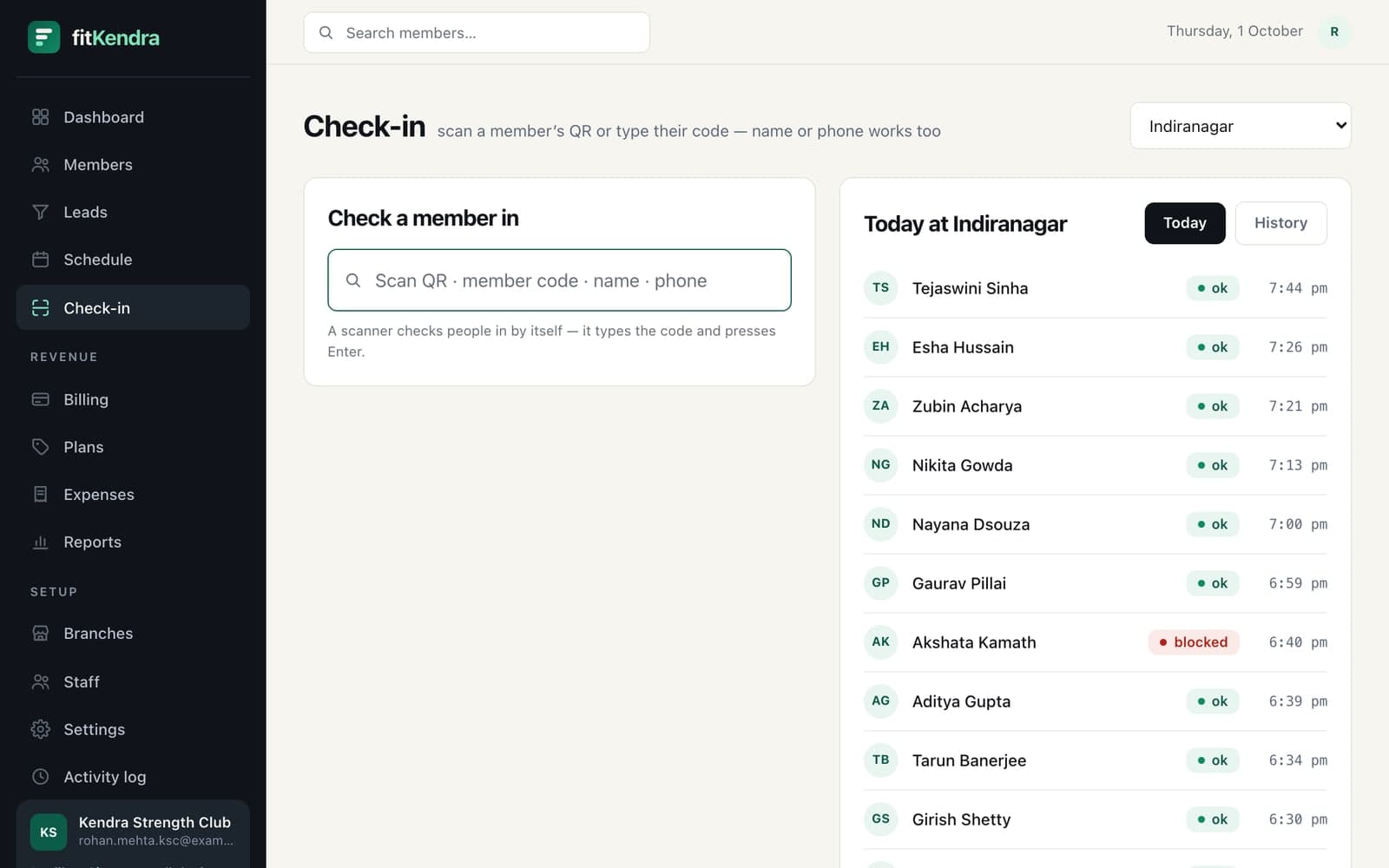
Green means go. Red means renew.
Every check-in tells the desk what to do next, from the member’s actual plan — not from what the receptionist remembers.
- Find a member by name, phone or member code in a second
- Green, amber or red decided by their plan, dues and dates
- A red result goes straight to renewing the membership
- Today’s check-ins per branch, as they happen

Classes & booking
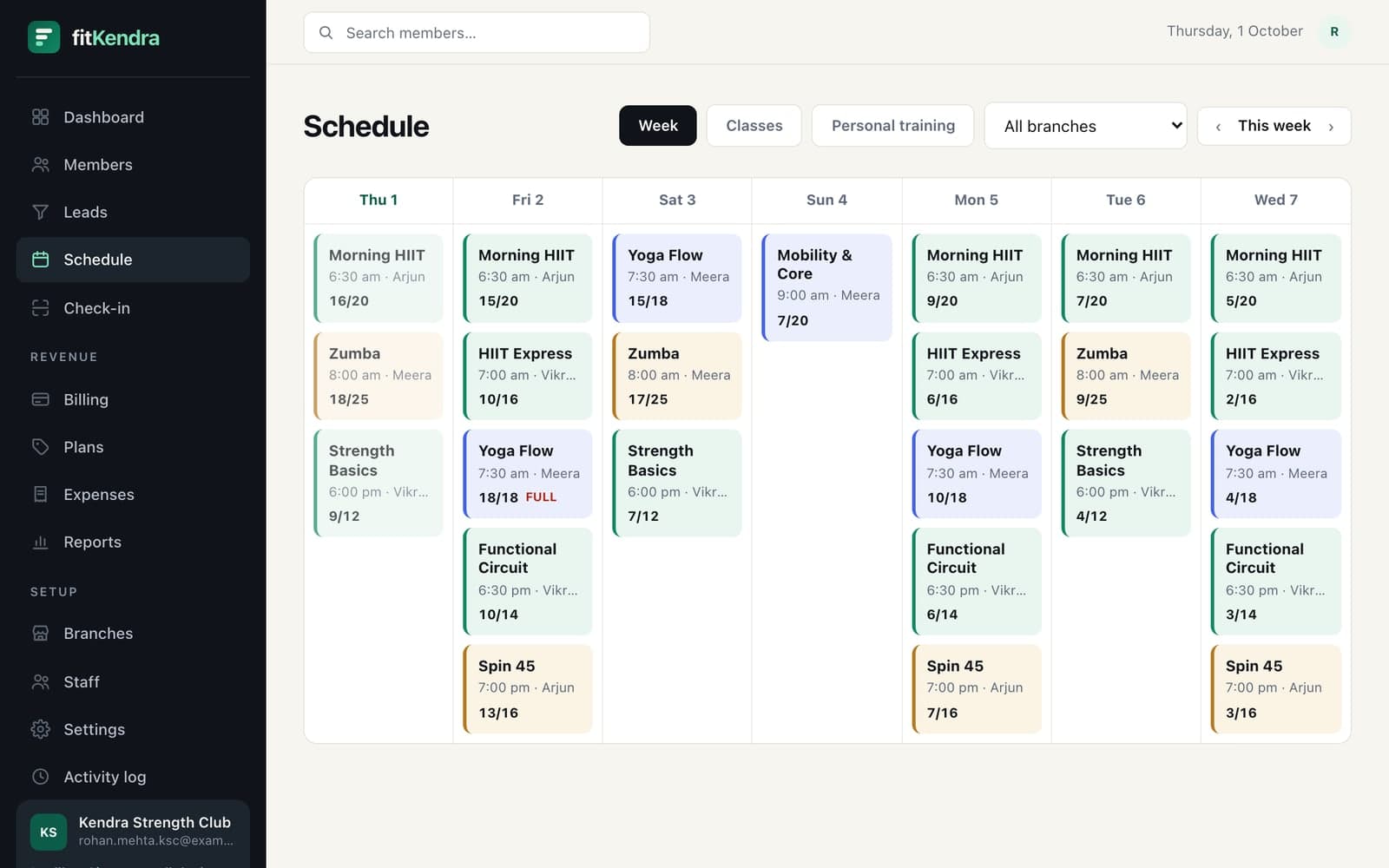
Batches that never oversell.
Set the weekly timetable once. Sessions appear on their own, and a class can never take more bookings than it has places.
- Recurring weekly classes per branch, with trainer and studio
- Capacity checked on every booking; a full class gets a waitlist
- Class packs spend a credit per booking, so a pack runs out on time
- Mark attendance from the class roster

Billing & GST
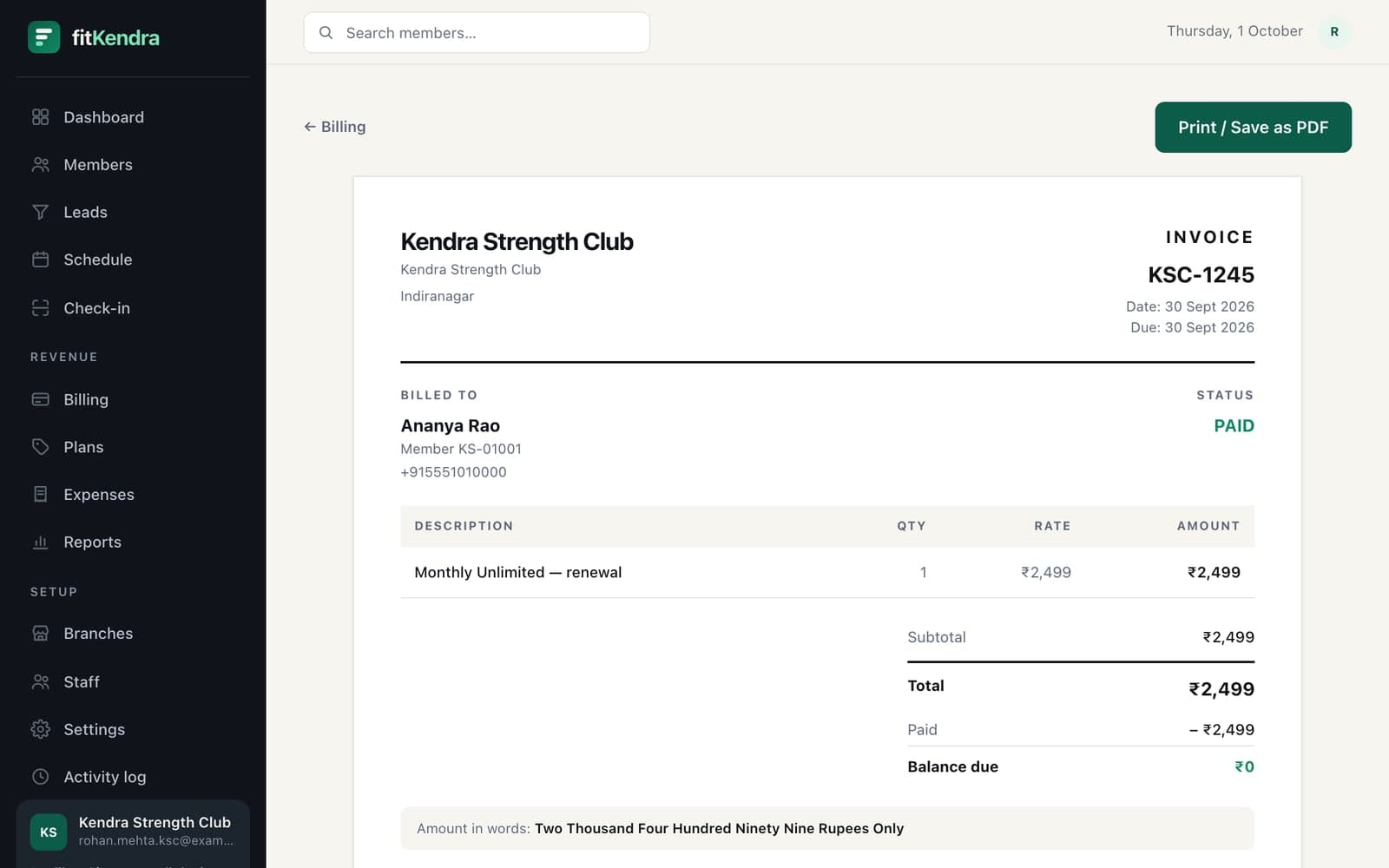
Invoices, part payments and dues you can chase.
Record what comes in at the desk and fitKendra keeps the books straight — numbered invoices, balances and who promised to pay when.
- Cash, UPI, card, bank transfer or cheque, recorded in seconds
- Part payments with the date the member promised to clear the rest
- GST invoices with your GSTIN, inclusive or exclusive — print or PDF
- Every unpaid balance on one list
For owners
Your numbers, every evening.
Open the dashboard and see the day: what was collected, who checked in, who is about to lapse and who still owes you.
- Collections today and this month, by payment method
- Live members, renewals due this week and pending balances
- Reports and CSV exports your accountant can use
- Roles for every staff member, and a log of what they changed
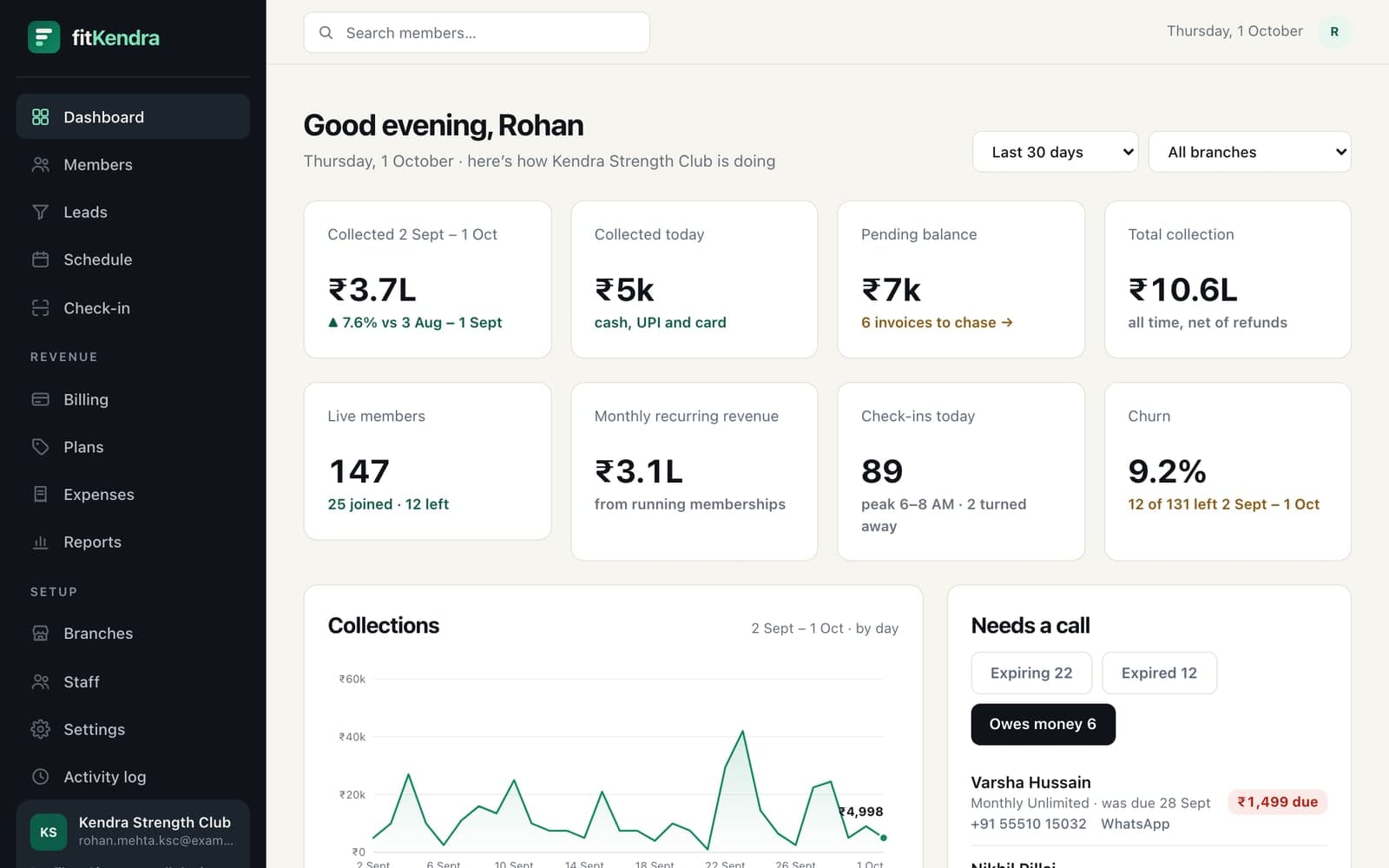

Screens from our demo gym, Kendra Strength Club, with sample members. See leads, trainers and more
On the wayComing soon
An app your members will actually open
The fitKendra member app is in the works: members book their batch, carry a QR card for the desk, and see exactly what their plan covers — with your gym’s name on it.
- Book and cancel classes, see the waitlist
- A QR membership card for a fast check-in
- Plan, renewal date and payments in one place
WhatsApp reminders
Coming soonRenewal nudges, class reminders and receipts on WhatsApp, where members actually read them.
Online payments
Coming soonUPI and card payment links through Razorpay, so a member can renew from their phone.
Offline QR check-in
Coming soonA kiosk that scans the member app’s QR code and keeps working when the internet drops.
Want one of these sooner? Tell us — what gyms ask for decides what we build next.
Security & privacy
Your members trust you with their data
So fitKendra is built to keep it safe — and to keep it yours.
Each gym’s data kept apart
Row-level security in the database means one gym’s records can’t be read by another — not just an app rule.
Roles and branch access
Owner, manager, front desk and trainer each see what their job needs; branch staff see their branch.
Two-step staff sign-in
Console sign-in takes a password and a one-time code, and a lost phone can be signed out everywhere.
Your data stays yours
Export your member list any time. We never sell data, and there are no ad trackers on fitKendra.
How it works
Live before your next batch starts
- 1
Sign up online
Tell us about your gym and pick a plan. The trial costs nothing and needs no card.
- 2
We switch your gym on
Our team reviews every new gym, usually within 24 hours, and emails you when it’s live.
- 3
Open the desk
Add your plans and classes, import your member list from a CSV, and start checking people in.
Pricing
Priced for gyms, not enterprises
Every plan starts with a 3-month free trial. No setup fee, no per-member charges.
Starter
For gyms just getting off the ground
₹19,910 billed yearly, plus GST
- Up to 100 members
- 1 branch
- Memberships & plans
- Class scheduling & booking
- QR check-inComing soon
- WhatsApp notificationsComing soon
Growth
For growing gyms that need the full toolkit
₹49,790 billed yearly, plus GST
- Up to 500 members
- Up to 3 branches
- Everything in Starter
- Leads & follow-ups
- Revenue reports & exports
- Dunning for failed paymentsComing soon
Pro
For chains and studios at scale
₹79,670 billed yearly, plus GST
- Unlimited members
- Unlimited branches
- Everything in Growth
- Trainer tools & PT packages
- Priority support
- Custom branding
Prices are in Indian rupees and exclude GST, charged at 18% on the invoice. No card is needed for the trial; you pick monthly or yearly billing when it ends. Running several brands or more than a handful of branches? Talk to us.
Questions
What gym owners ask us
Straight answers, including what isn’t built yet.
How long is the free trial, and do I need a card?
Every gym gets a 3-month (90-day) free trial with every feature on, counted from the day your gym is approved. No card is needed to start, and nothing is charged during the trial — you pick a plan before it ends.
Why is my gym reviewed before it goes live?
Our team checks each new gym before switching it on, usually within 24 hours. It keeps fake sign-ups out and lets us help you set up. You get an email the moment your gym is live.
Can I bring my members over from Excel or a register?
Yes. Upload a CSV of your members (name, phone and email) from the Members page; people already on your list are skipped, so running it twice does no harm. You can also add walk-ins one by one at the desk.
Does fitKendra make GST invoices?
Yes. Turn GST on in Settings, add your GSTIN and choose whether your prices include tax. Every membership sale then gets a numbered invoice with the tax worked out, ready to print or save as a PDF.
How do members pay?
Record what you take at the desk — cash, UPI, card, bank transfer or cheque — including part payments with the date the member promised to clear the rest. Unpaid balances show up on the dashboard so nobody forgets to follow up. Online payment links through Razorpay are coming soon.
Will members get WhatsApp reminders?
WhatsApp renewal and class reminders are coming soon. Until they arrive, the dashboard lists who is expiring this week and who owes money, with their phone numbers, so the desk can call.
Is there an app for my members?
A member app for Android and iPhone — booking classes and a QR card for check-in — is coming soon. Today the front desk checks members in by name, phone or member code, and books classes for them.
I run more than one branch. Does that work?
Yes. Add each branch with its own hours and schedule, pin front-desk staff and managers to the branches they work at, and see check-ins and classes per branch. Owners see the whole gym.
Who can see my gym’s data?
Only your staff, and each person only what their role allows — trainers, for example, have no access to billing. Every gym’s data is kept apart inside the database itself, not just by the app, and we never sell or share it.
Can I export my data or cancel?
Export your member list to CSV whenever you like — it is your data. You can cancel at any time; your workspace stays open until the end of the period you paid for.
Something else? Ask us on a call or write to hello@fitkendra.com.
Your front desk deserves better than a register
Start today and run tomorrow’s 6 AM batch on fitKendra. Free for 90 days — no card needed.